Writing in the age of AI
1A clear idea
A clear idea deserves a clear page. Bring your draft, develop your argument, and make the document your own.
Add figures, cite your sources, and review with coauthors.

Put your ideas into words with WordEx. AI helps you draft, polish, manage references, and format LaTeX. You choose what stays on the page while enjoying a real-time preview of professionally typeset results.
Live Preview is free on every plan.
A clear idea deserves a clear page. Bring your draft, develop your argument, and make the document your own.
Add figures, cite your sources, and review with coauthors.
Have your cake and eat it too.
MoonlitFlow brings the familiar ease of Word and Google Docs to the world of LaTeX publishing. Its AI-assisted visual editor lets you write and revise directly on the page, with your changes visible as you work. You decide what to say and how to say it. MoonlitFlow takes care of formatting and typesetting, so you can stay focused on your ideas and produce a publication-ready manuscript.
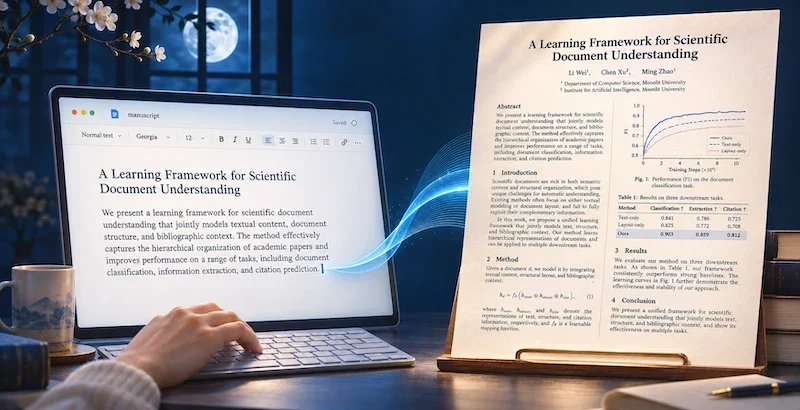
You shape the argument and decide what goes into the manuscript. AI helps you plan, research, draft, and revise.
How AI helps — Ask clarifying questions to help narrow the scope.
How AI helps — Draft an outline and suggest a section order.
How AI helps — Search for prior work and summarize related findings.
How AI helps — Recommend references for that claim or sentence.
How AI helps — Draft an introduction with citations and suggest edits to the abstract.
How AI helps — Check grammar, assess the draft, and prioritize revision suggestions.
How AI helps — Diagnose LaTeX compilation errors and suggest a patch.
Many authors think best in Word or Google Docs. Keep that beginning. Choose a template, import your document, and review the AI adaptation before applying it.
DOCX, PDF, or Markdown
AI adapts structure and formatting
Check the content, citations, and layout.
Download your formatted PDF or LaTeX source.
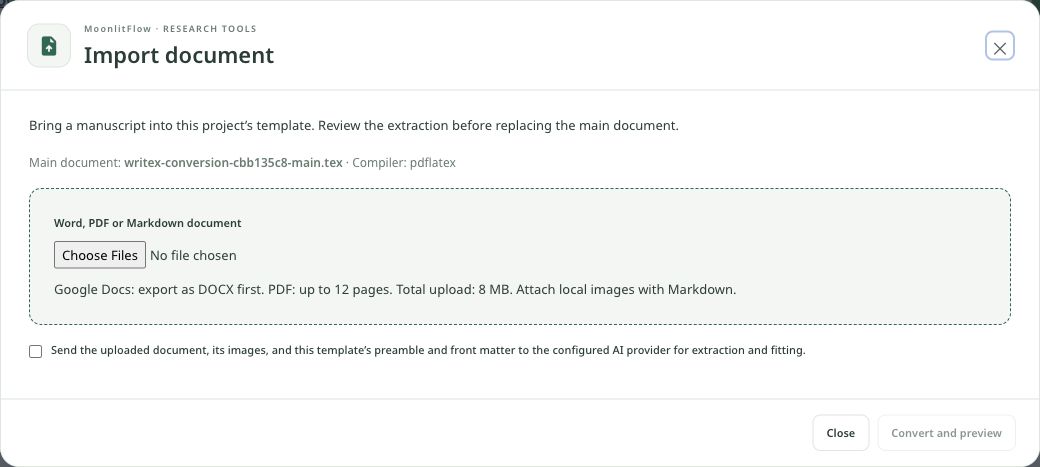
The same tools support a journal article, a thesis chapter, a shared manuscript, or a book. Start with the format your work needs.
Our tenet
Writing should begin with what you want to say. MoonlitFlow brings AI assistance and LaTeX typesetting into a workspace where authors decide how to write, revise, and share.
Import Word, PDF, or Markdown. Write visually or edit LaTeX source.
Review AI suggestions and choose the changes that serve your work.
Share a project, discuss comments, and review a shared manuscript.
Choose a template and make room for your writing. AI tools are available with credits and account access.